Two overlapping photographs, one wider view. The tool finds shared detail, works out how the frames relate, and blends the seam — and it will tell you when the pair cannot be joined.
Local processing
JPG, PNG & WebP
Works on phone
Updated
Add two overlapping photos
Choose the left and right views. Processing stays on this device.
Ready to detect overlap.
This is not the same as placing two photos side by side
Joining photos puts two complete rectangles next to each other and keeps both in full. Stitching does something harder: it assumes the two frames show the same scene from a slightly different angle, works out the geometric relationship between them, bends one to match the other, and merges the shared region so the join disappears.
That is why stitching can fail and joining cannot. If you want both photos kept whole and unmodified, you want Join Photos Together instead. If you want a wider view of one scene, continue here.
The tool runs a standard computer-vision pipeline entirely in your browser, using OpenCV compiled to WebAssembly. It detects ORB features — small, distinctive patches that can be recognised from a different angle — in both frames. It matches those patches between the two images, then uses RANSAC to discard matches that do not agree with a single consistent transformation.
From the surviving matches it estimates a homography: the projective transform that maps one frame onto the other's plane. It warps the second image by that transform and feathers the overlap, ramping opacity across the shared band so no hard edge remains.
Every stage runs on your device. The OpenCV runtime is fetched from this site the first time you stitch, which is why the first run takes a moment longer than the second.
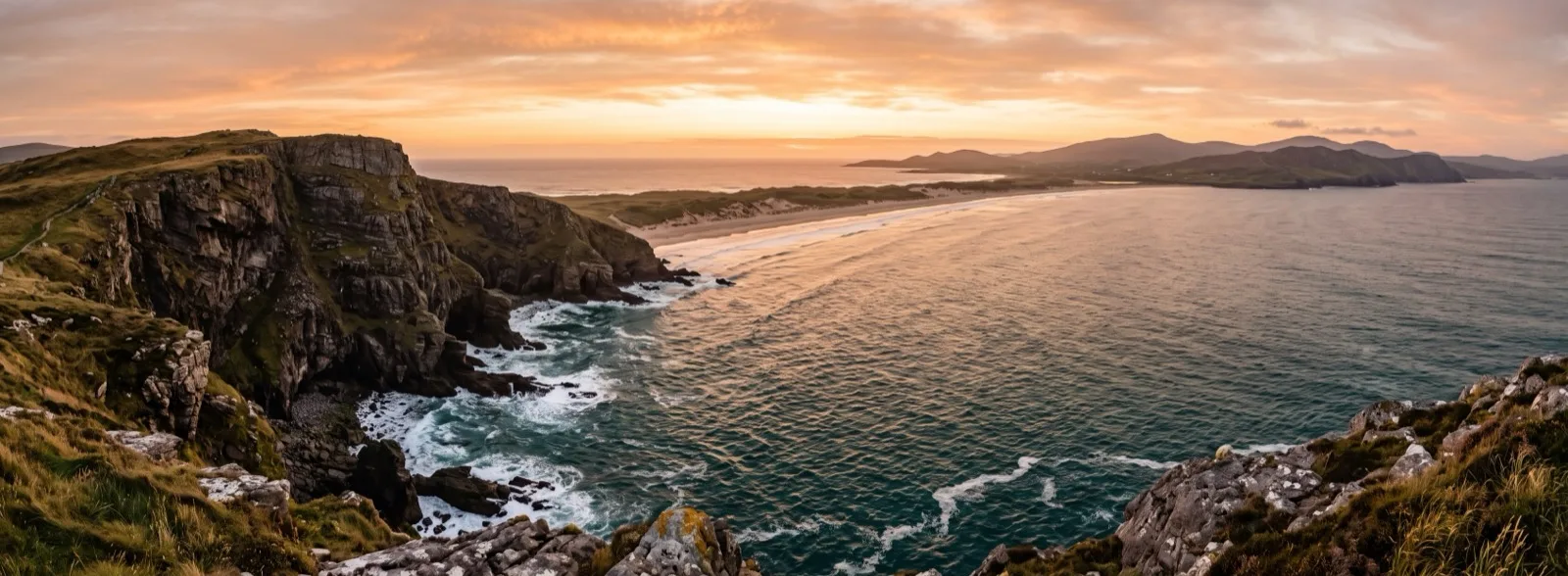
Feature matching across the overlap, then a warped and feathered join.What a successful stitch looks like — two frames of one headland, joined with no visible seam. The horizon runs unbroken across the join.
Capturing a pair that will actually stitch
Most failed stitches are decided at capture time, not at processing time. Three rules cover almost all of it.
Overlap by about a third. The two frames need enough shared content for the matcher to find common ground. Below roughly 20 percent there is often too little to work with; above about 60 percent you are spending a frame to gain very little width.
Rotate, do not walk. Pivot the camera around roughly its own position. If you step sideways between shots, near objects shift against far ones — parallax — and no single homography can satisfy both distances at once. This is the most common cause of a stitch that looks almost right but bends in the middle.
Lock exposure and focus. If the camera re-meters between frames, the sky changes brightness across the seam. Feathering hides a soft gradient, not a step change in exposure.
Too little shared content gives the matcher nothing to work with; too much wastes a frame.
Reading a failure
"No reliable overlap was found." The matcher could not find a consistent set of shared points. Usual causes: the frames overlap too little, the overlap falls on a featureless region — clear sky, a blank wall, still water — or it falls on a repeating pattern like tiling or railings, where many locations look equally plausible and nothing wins.
The result is warped or stretched at one end. The homography was estimated from matches clustered in one corner rather than spread across the overlap, or the viewpoint moved too far between frames. A new pair shot from a single pivot point fixes this; re-running the same pair will not.
A person or car appears twice, or is torn in half. The subject moved between the two exposures. Feathering blends pixels; it cannot decide which moment was the real one. Shoot the pair quickly, or keep moving subjects away from the overlap band.
Straight lines bend near the seam. Check rooflines, poles and horizons specifically — a panorama can look convincing overall and still carry a local bend. This is parallax again, and it is a capture problem.
When stitching is the wrong tool
Screenshots of a long page. These do not need feature matching — they need cropping and stacking in order. Use Combine Images Vertically.
Three or more frames, or a full 360° sweep. This page deliberately handles exactly two. Multi-row and full-circle panoramas need cylindrical or spherical projection and global bundle adjustment, which is beyond a two-frame browser tool.
Two layers on one canvas. That is blending, not stitching — see Image Mix.
Photo stitching questions
How does automatic photo stitching work?
The tool detects ORB feature points in both photos, matches them, filters the matches with RANSAC to keep only those consistent with one transformation, estimates a homography, warps the second frame onto the first, and feathers opacity across the overlap so the seam disappears.
Why does it say no reliable overlap was found?
The matcher could not find enough consistent shared points. Common causes are too little overlap, a featureless overlap region such as sky or a plain wall, a repeating pattern that makes matches ambiguous, motion blur, or too large a change in viewpoint between the two frames.
How much should the photos overlap?
Around 25 to 50 percent works well. Below about 20 percent there is often too little shared detail to estimate a reliable transform.
Can I stitch three or more photos?
Not on this page — it handles exactly two frames. Multi-frame and 360-degree panoramas need additional camera modelling that a two-frame browser tool does not attempt.
Why is my panorama bent in the middle?
Almost always parallax: the camera moved sideways between shots rather than rotating in place, so near and far objects shifted by different amounts. No single homography can correct both at once. Re-shoot the pair pivoting around one point.
Will it fix people or cars that moved between shots?
No. A subject that moved between the two exposures can appear twice or be cut in half in the overlap. Blending mixes pixels; it cannot choose which moment was correct. Shoot the pair quickly and keep movement out of the overlap.
Are the photos sent to a server?
No. OpenCV.js, feature detection, warping, blending and export all run in your browser. The OpenCV runtime itself is downloaded from this site when you first stitch, but your photos never leave the device.
Why is the first stitch slower than the next one?
The OpenCV WebAssembly runtime loads on first use and is then cached by the browser for subsequent runs in the same session.