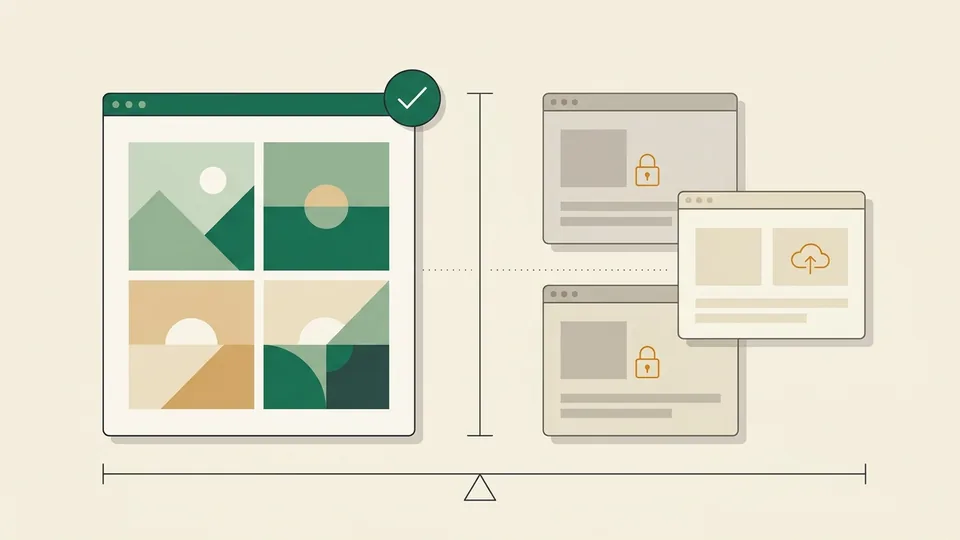
An honest side-by-side comparison of free online photo merge tools — tested for local privacy (no upload), watermarks, signup walls, lossless PNG resolution, and batch merging.
Local processing
JPG, PNG & WebP
Works on phone
Updated
Drop photos here
or paste Ctrl/⌘ V, choose files, or take a photo
Your photos are processed in your browser. Nothing is uploaded.
Presets
Photos
Preparing your image…
Layout
Adjust
50%
100%
50%
50%
0°
16px
16px
0
Labels
Export
92
Output: —
One-time payment, no automatic renewal. Pro also removes ads and unlocks batch ZIP exports.
Private export. No upload, no account, no watermark.
The best free online photo merger with no watermark, no signup, and no server upload is a dedicated client-side HTML5 Canvas tool like PhotoMerge.app. Unlike cloud suites such as Canva, Fotor, or Adobe Express, it processes images strictly on your device in seconds, exports clean JPG, PNG, or WebP files, and supports side-by-side, vertical, grid, overlay, batch pairwise, and panorama workflows in one place.
Searching for a free online photo merger usually turns up two frustrating extremes. On one side are heavy cloud design suites that force an account login, upload personal photos to remote servers, and lock clean exports behind a monthly subscription. On the other side are dated single-form utilities that work without login but lack live previews, mobile touch controls, labels, or batch pairing.
Below is a transparent, up-to-date breakdown of how PhotoMerge.app compares against PineTools, Canva, Fotor, Adobe Express, and Photopea — including the exact cases where one of those alternatives is genuinely the better pick.
Choosing a free online photo merger comes down to four practical checks: local privacy, zero watermarks, no signup friction, and true resolution control.
Six-dimension comparison: PhotoMerge.app vs popular alternatives
Every tool in this matrix was checked against its public web interface on November 25, 2026 across the six criteria everyday users care about most: local privacy, signup walls, free watermarks, lossless PNG / high-res support, bulk pairwise merging, and automatic panorama stitching.
Free online photo merger comparison matrix (verified November 25, 2026)
Tool
Local processing (no upload)
No signup required
No watermark on free tier
Lossless PNG & high-res
Batch pairs & panorama
PhotoMerge.app
Yes (100% browser HTML5 Canvas & WebAssembly)
Yes
Yes
Unlimited up to 1,600 px + 1 full-size/day free; JPG, PNG, WebP
Keeps source size on simple 2-image joins; basic PNG/JPG
No batch pairwise or panorama
Canva
No (cloud upload)
Account required
Free templates only; Pro elements watermarked
PNG/JPG export; transparent PNG is Pro
No automatic panorama or pairwise batch
Fotor
No (cloud upload)
Account required for many saves
Watermarks on paid templates/features
HD downloads often gated behind Pro
Limited collage templates
Adobe Express
No (cloud upload)
Adobe account required
Yes on free tier
PNG/JPG export via cloud render
No pairwise batch or browser panorama
Photopea
Yes (client-side browser)
Yes
Yes (ad-supported)
Full original resolution, PSD/PNG/JPG/WebP
Manual layers; steep Photoshop learning curve
Verified November 25, 2026 against public web apps. Pricing and free-tier gates on third-party platforms can change without notice.
For straightforward photo merging — before-and-after comparisons, vertical screenshot stacks, 4–20 image grids, ID card front-and-back layouts, or pairwise product shots — a dedicated free online photo merger saves minutes compared with opening a full graphic-design workspace.
Match the tool to the job: local browser mergers for speed and privacy, Canva for styled graphics, and Photopea for Photoshop-level retouching.
High-resolution photos and lossless quality: what actually happens on export
One of the most common questions about any free online photo merger is whether it quietly shrinks your photos or adds muddy JPEG artifacts. Two separate technical factors control output quality: pixel dimensions and file encoding.
On PhotoMerge.app, the canvas preserves your source aspect ratios without forced cropping — Equal height for horizontal rows, Equal width for vertical stacks, and Fit mode for multi-photo grids. For encoding, you can choose PNG for 100% lossless pixels (ideal for crisp UI text, receipts, and transparent backgrounds), JPG with an adjustable quality slider for compact photography, or WebP for 25–34% smaller web files at matching visual quality.
We also publish our resolution limits openly instead of hiding them behind a surprise paywall at the download button: exports up to 1,600 px on the long edge are completely unlimited and free, every visitor gets 1 full-size export per day above 1,600 px at original pixel dimensions, and a one-time 30-day PhotoMerge Pro pass ($4.99 USD, no auto-renewal) unlocks unlimited full-size exports and 20-pair batch ZIP downloads.
When you should use Canva, Photopea, or desktop software instead
No single free online photo merger is right for every job. Being honest about where PhotoMerge.app stops saves you time:
Choose Canva or Adobe Express if you need decorative fonts, stickers, animated Instagram Reels, brand kits, or stock-photo poster templates rather than clean photo alignment.
Choose Photopea if you need layer masks, feathered lasso cutouts, color-curve retouching, or native Photoshop .psd export directly in the browser.
Choose Hugin or Lightroom if you are stitching a 10-photo 360° spherical panorama or processing 16-bit camera RAW files for gallery printing.
Four-point checklist before trusting any free online photo merger
If you are evaluating any browser-based image merger — ours or a competitor's — run these four checks before dropping sensitive personal or business files into the page:
Offline test. Load the site, turn off Wi-Fi or enable Airplane Mode, and try merging two images. A genuine client-side merger keeps working; a cloud uploader stalls immediately.
Test export before investing time. Drop two sample images and click Download first to verify there is no surprise signup modal or corner watermark.
Check lossless PNG availability. If you merge screenshots or documents with small text, make sure the tool exports real PNG instead of forcing low-quality JPEG.
Check whether it crops mixed orientations. Combine one portrait and one landscape photo — a good merger offers Equal height / Fit without chopping off heads or captions.
Free online photo merger comparison — questions
What is the best free online photo merger with no watermark and no signup?
For fast, private merging without creating an account or seeing a watermark, PhotoMerge.app is built specifically for the task: it runs 100% locally in your browser with Side by Side, Vertical, Grid, Overlay, Batch Before & After, and OpenCV.js panorama tools.
Are there better alternatives to PineTools for merging images?
PineTools is reliable for a basic two-image join, but it uses a static form without live visual preview, mobile-friendly touch sliders, Before/After labels, or batch pairing. PhotoMerge.app keeps the same zero-signup simplicity while adding live preview, presets, mobile controls, and local privacy.
How can I combine high-resolution photos online without losing quality?
Choose PNG export for lossless pixel preservation and avoid downscaling below your target width. On PhotoMerge.app, exports up to 1,600 px on the long edge are unlimited and free, and you get 1 free full-size original-resolution export per day above 1,600 px (unlimited with PhotoMerge Pro).
Why does client-side processing matter compared with Canva or Fotor?
Cloud editors upload your images to remote servers before rendering. Client-side tools process images strictly inside your browser memory using the HTML5 Canvas API, which is faster on slow connections and far safer for ID cards, passports, medical documents, and unreleased product photos.
Which free tool is best for merging 50 to 100 product photos side by side in pairs?
Standard collage makers force you to merge one pair at a time. PhotoMerge.app includes a dedicated Batch Before & After tool (/batch-compare/) that pairs up to 40 photos (20 pairs) per batch with shared spacing, labels, and logo styling locally in your browser.
Can I use PhotoMerge.app on iPhone, Android, Mac, and Windows without installing software?
Yes. Because it runs in standard web browsers (Safari, Chrome, Edge, Firefox), you can merge photos on any phone or laptop with zero downloads.